Arcana Glow on your phone
Add Arcana Glow to your Home Screen
Keep your card of the day one tap away. Arcana Glow opens full screen, like an app, and there's nothing to download from a store. It takes less than a minute.
In Safari on iPhone
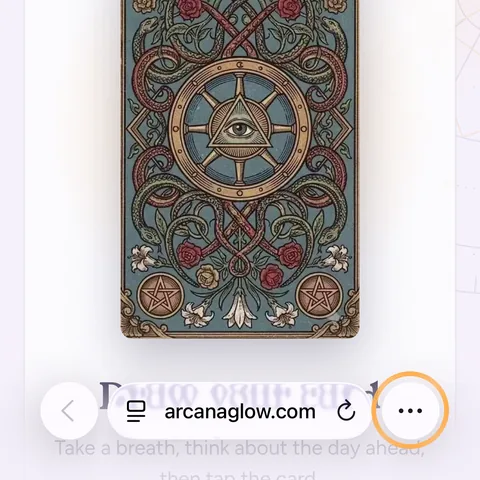
Open arcanaglow.com in Safari and tap at the bottom right.
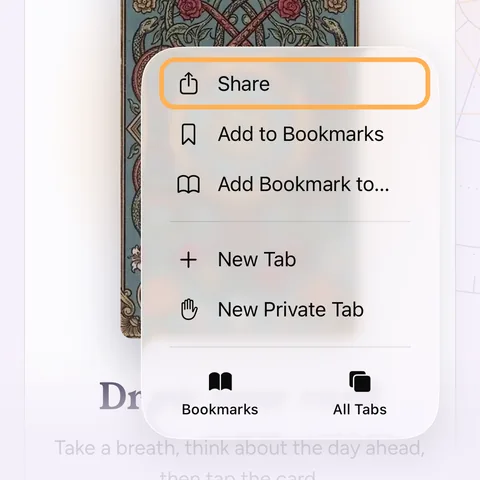
Tap Share.
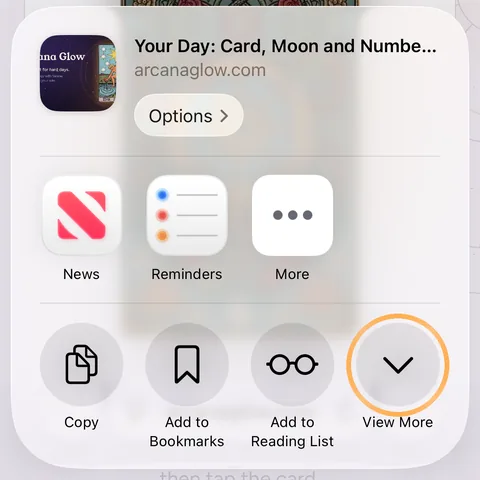
Tap View More. If Add to Home Screen is already in the list, skip this step.
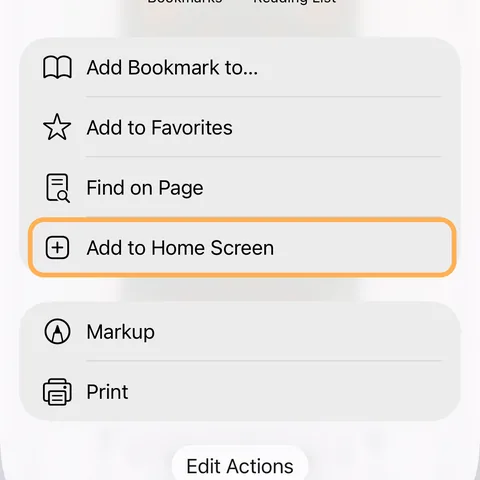
Tap Add to Home Screen.
Leave Open as Web App on and tap Add.
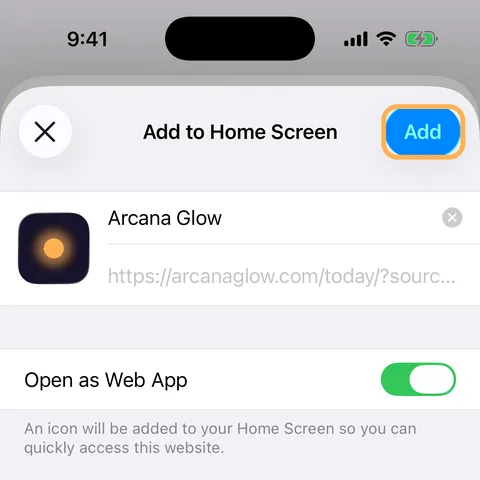
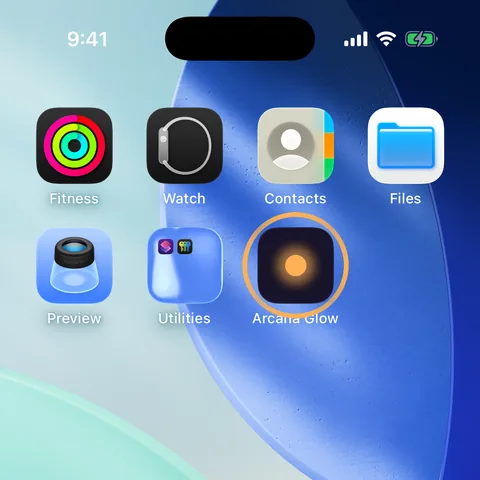
Done. Open Arcana Glow from your Home Screen, then turn on the morning reminder.
If your screen looks different
- iOS 18 or earlier. The Share button is in the bar at the bottom. Tap it, then Add to Home Screen, then Add.
- iPad. The Share button is at the top right, next to the address.
- Chrome on iPhone. Tap in the address bar, then Add to Home Screen.
In Chrome on Android
- Tap at the top right.
- Tap Add to Home screen. In some versions it's called Install app.
- Tap Install. The Arcana Glow icon appears with your apps.
Other browsers
- Samsung Internet. Tap at the bottom right, then Add page to, then Home screen.
- Firefox. Tap , then Add to Home screen.
- Edge. Tap at the bottom, then Add to phone.
On a computer
- Chrome. Click the install icon at the right end of the address bar, then Install. No icon? Open the menu , then Cast, save and share, then Install page as app.
- Edge. Click the App available icon in the address bar. Or open the menu, then Apps, then Install this site as an app.
- Safari on a Mac. Choose File, then Add to Dock, then Add. It needs macOS Sonoma or later.
- Firefox. Firefox can't add websites as apps. Open arcanaglow.com in Chrome, Edge or Safari, or keep it as a bookmark.
Why keep it on your Home Screen
- Your card of the day, the Moon and your number open in one tap.
- Morning reminders on iPhone and iPad work only from the Home Screen. That's Apple's rule for websites.
- There's no account and no store. To remove it, press and hold the icon and delete it like any other app.
On iPhone and iPad the app keeps its own settings, so add your birthday once more inside it.